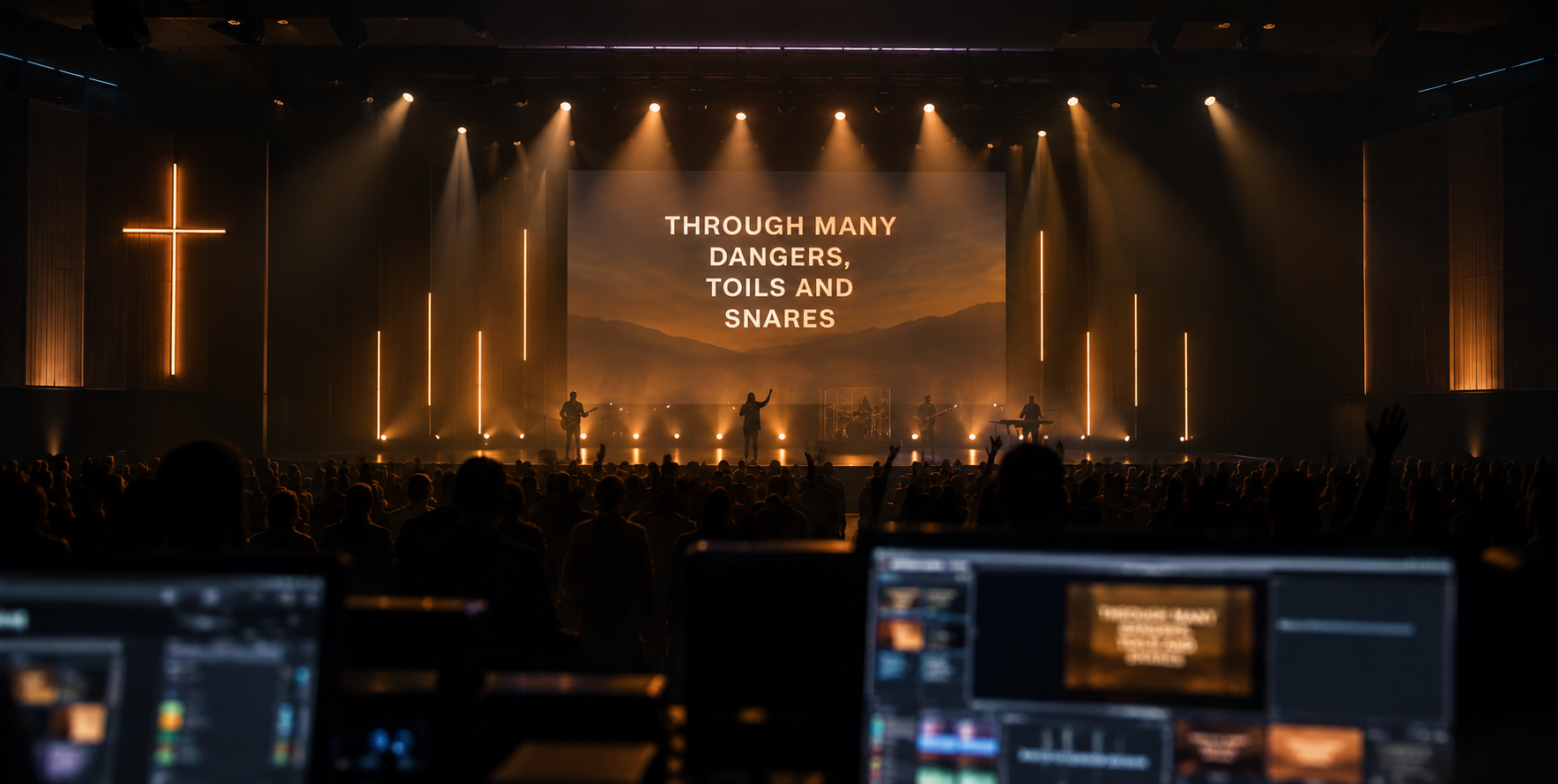
Everything on the wall, handled.
Three modes, one operator screen and an AI that listens to the whole service. Here is what is in the box.
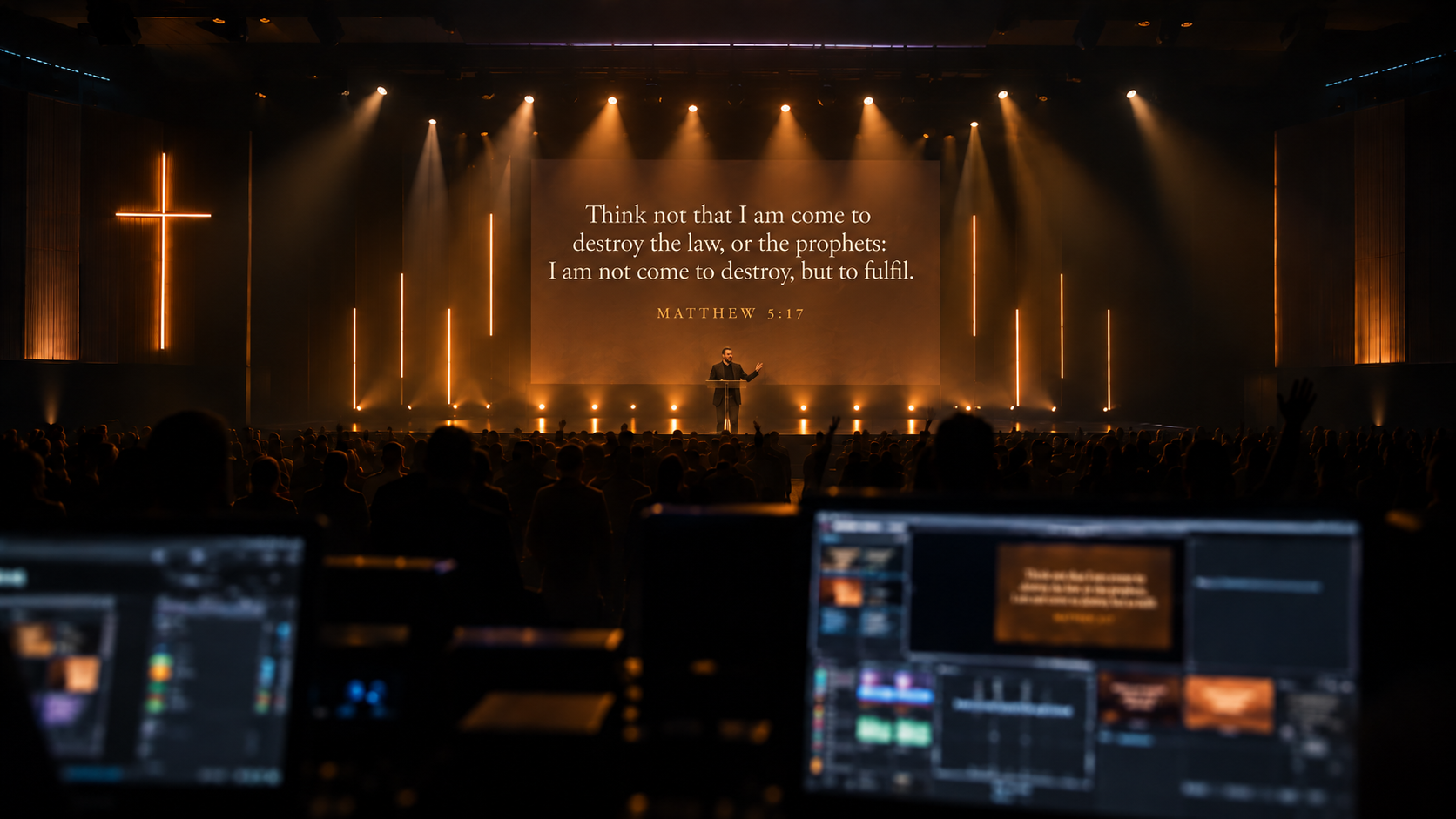
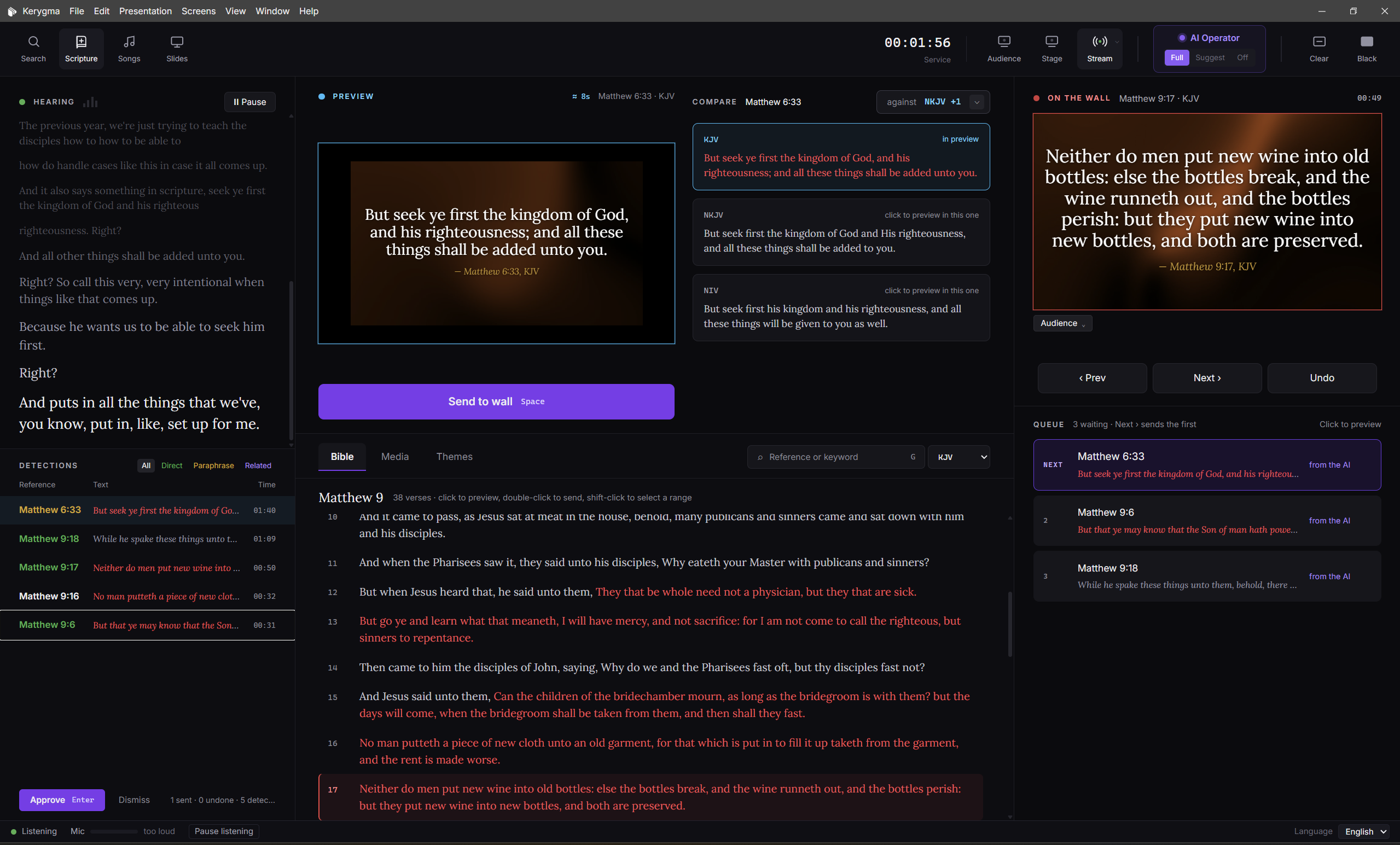
Every verse the pastor reaches for.
The Hearing panel shows the live sermon. Detections come in as Direct, Paraphrase or Related. Preview, compare translations, and send to the wall with Space, or let the AI send it.
More in Scripture
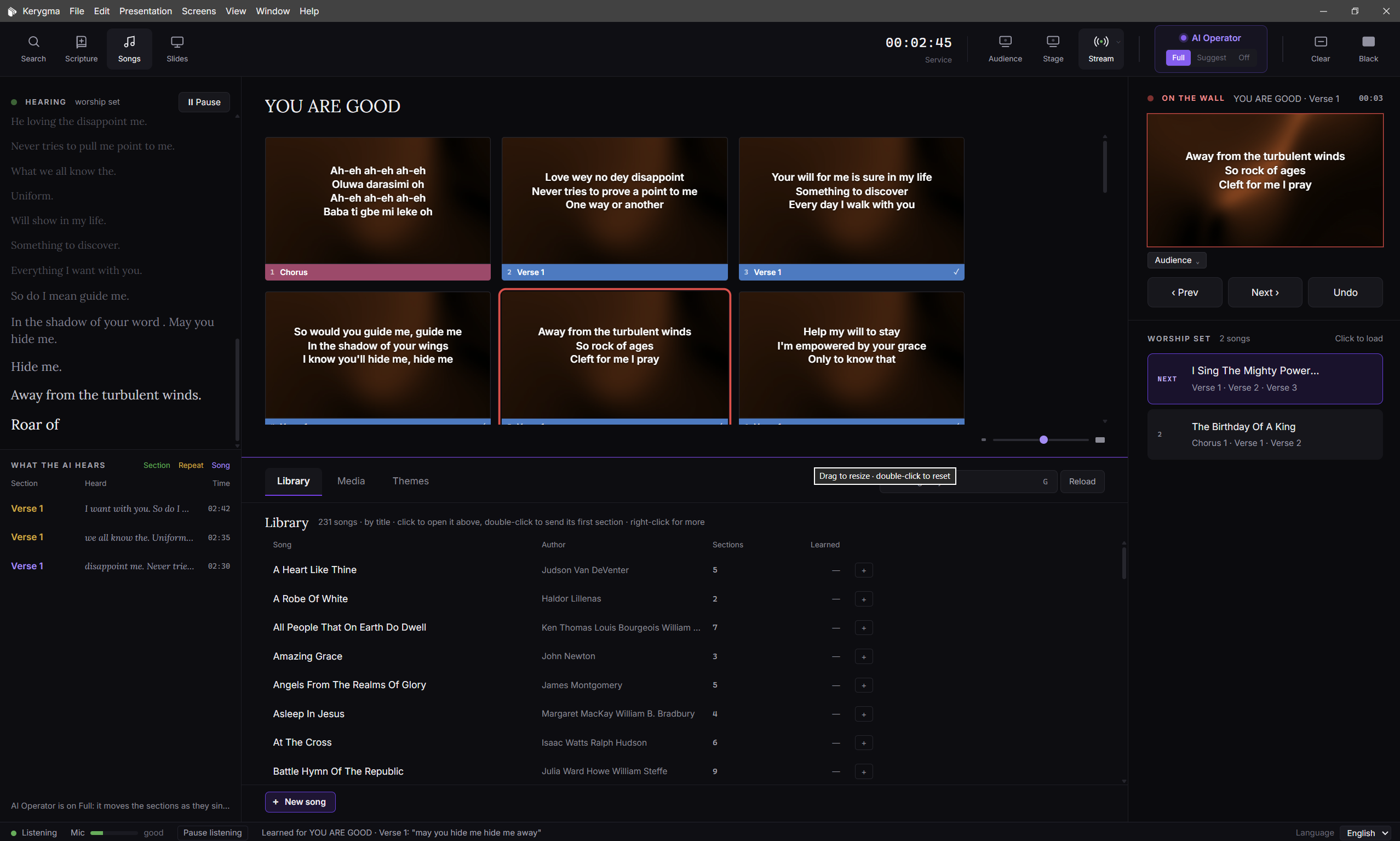
Lyrics that keep up with the band.
Kerygma listens to the worship team and shows the right lyrics by itself, following verse, chorus and bridge as they sing. One click to take over any time.
More in Songs
From sermon notes to slides.
Write or import a sermon and the AI turns it into sections, points, scripture and pull quotes in your church theme. During the service it follows the schedule and moves the slides by itself.
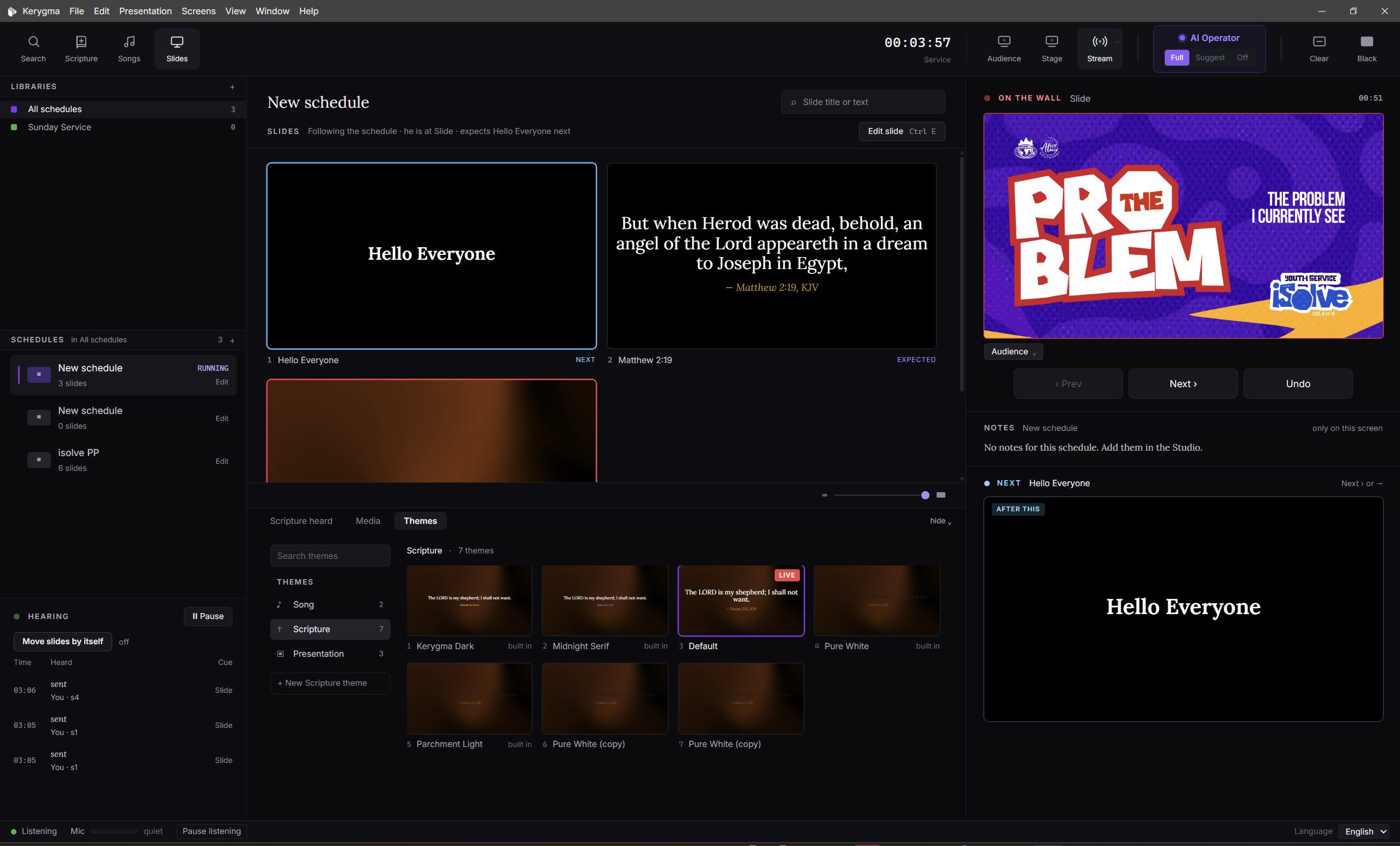
More in Slides
Fits the screens and tools you already have.
Every output, one send
Audience screens, a stage display for the platform and the livestream each get their own theme, and fill a screen of any shape. The stream goes out over NDI to OBS, vMix and any other NDI receiver.
Already running other presentation software? Kerygma feeds it instead of fighting for the screen.
Theme Studio
Font, colour, shadow and background for scripture, songs and presentations. Motion backgrounds loop behind live text. Preview matches the projector exactly.
Safe for a live service
Built for the moments when something goes wrong.
You decide how far it goes.
One dial on the operator screen. The AI Operator listens to the whole service and acts as far as you let it: everything, only what the preacher names, or nothing at all.
Kerygma puts it up by itself, as soon as it is sure. Pro and Plus.
…and Paul tells us that all things work together for good to them that love God…
And we know that all things work together for good to them that love God, to them who are the called according to his purpose.
Romans 8:28 · KJVMore in AI Operator
Decides, does not guess
It keeps a running belief about what is being preached and updates it with every sentence, so one misheard word never reaches the wall.
Steady once it is up
A verse on the wall needs stronger evidence before it changes, so the screen never flickers between passages.
How sure it must be
Set how confident it must be before it acts alone, and whether it acts on references, paraphrases or a change of translation.
See why
A panel shows what it decided and why, and what you did instead, across Scripture, Songs and Slides.
Safe when the internet drops
It listens on this computer, drops to Suggest and tells you, then restores itself when the connection is steady.
PIN lock
Lock the AI settings with a PIN, so a volunteer cannot change how far it goes.
From sermon notes to a designed service.
Paste the pastor’s notes on a weeknight. Netics AI turns them into a deck in your church’s style, with matching pictures and every scripture checked against your Bibles.
Walking by faith
1. Faith sees what is not yet seen (Heb 11:1)
2. Abraham went out, not knowing where
3. Faith that keeps walking when the road bends
“Faith is not knowing the road. It is knowing who walks it with you.”
More in Studio
Design with Netics AI
Choose the length and the look, review the outline if you like, and get the whole deck. One Undo takes it back.
Pro and PlusChat with your slides
Ask for a change in your own words. It proposes it as a card you apply with one click.
Pro and PlusAI slide tools
Shorten, split, reword, make a title, find the scripture or pick a picture for any slide.
Pro and PlusOnline pictures
Search free photos as you build. Only the one you use is downloaded, with its credit.
Pro and PlusOur church style
Kerygma learns your layouts, so a new slide already looks like yours. No AI needed.
Scripture that is checked
Every scripture slide is checked against the Bibles on the computer. The AI never writes verse text.
One service, every screen.
The wall, the stage and the stream each get the same moment in their own look, at the same time, from the one operator screen.
Now faith is the substance of things hoped for, the evidence of things not seen.
Hebrews 11:1Now faith is the substance of things hoped for, the evidence of things not seen.
More in Screens and output
Up to eight outputs
Audience, stage, a lower third or words on black, each on a display or over NDI.
2 on Free · 4 on Pro · 8 on PlusStage screen you arrange
Current slide, reference, clock, what is next and notes. Drag and size each part.
NDI to your stream
OBS, vMix and any NDI receiver pick Kerygma up as a source on your network.
Black and Clear
B covers the audience and stream. C takes the words off and keeps the background. The stage never blacks.
Fill or fit
Fill any screen shape, or keep 16:9. Text stays inside the safe area and shrinks to fit.
A look per screen
Give the wall, the stream and the stage each their own theme from one service.
It hears your church.
Cloud listening when you have the internet, and a listener on this computer when you do not. Choose the language for each service and teach it your names.
Church, if you have your Bibles, turn with me to
Hebrews chapter eleven, verse one.
More in Listening
Choose who listens
Auto picks the best listener for preaching and for singing. Or choose an online listener, or the listener on this computer.
Free has a weekly cloud allowance; Pro and Plus are unlimitedFits your computer
Kerygma picks an offline model that keeps up on your machine and downloads it in the background.
Language for each service
Kerygma listens in English, French, Spanish or Pidgin, chosen for each service. A Yoruba, Igbo or Hausa service shows its own Bible, while Kerygma listens in English for now.
Your names and places
Teach it up to 40 words: the pastor’s name, your town, your church’s own words.
An honest level meter
Shows the true level and warns you if the sound drops mid-service.
Pause with P
Stop listening for a moment, and carry on where you left off.
Bibles kept on the computer.
Every plan has the King James Version, the Louis Segond in French and the Reina-Valera 1909 in Spanish. Pro and Plus add more English Bibles and the Yoruba, Igbo and Hausa Bibles, all searched on the computer itself. The NIV, NKJV and others are coming as licences are agreed. Preach in one and show another.
Spanish, on every plan
More in Bibles
Six languages
Every plan: the King James, the Louis Segond in French and the Reina-Valera 1909 in Spanish. Pro and Plus add the American Standard, Berean Standard, Darby and Young’s Literal, the Ostervald in French, and three Bibles each in Yoruba, Igbo and Hausa.
Search by words
Type a reference or a few words and find the verse, typos and all.
Switch by voice
When the preacher names one of your church’s Bibles, the wall changes to it.
Pro and PlusCompare
One passage in several translations side by side before you choose.
Pro and PlusWords of Jesus in red
Red-letter text where the translation marks it.
Long verses split
A long verse can run across slides so it is never squeezed.
The sermon, written up for you.
After the service Netics AI writes the notes from what was preached. Edit them, export them, and find them on your church’s account.
Walking by faith
Faith keeps walking when the road is not yet visible.
Faith sees what is not yet seen · Abraham went out · Keep walking when the road bends
Hebrews 11:1 · Hebrews 11:8 · 2 Corinthians 5:7
For courage to take the next step · For those waiting on a promise
More in Sermon notes
Everything in one place
Title, big idea, main points, key quotes, scripture references, application, prayer points, questions and a summary.
Edit, then share
Make them your own, then export a PDF, Markdown or text.
On your account
Your notes are kept with your church on kerygma.dev.
Free includes 1 set a monthOne plan across your computers.
Sign in once with a short code, and every computer your church links gets its plan. No passwords.
Kerygma shows a one-time code. Approve it on kerygma.dev and this computer has your church’s plan.
| Free | Pro | Plus | |
|---|---|---|---|
| AI Operator | Suggest | Full | Full |
| Computers | 1 | 2 | 4 |
| Outputs | 2 | 4 | 8 |
| Studio AI | — | ✓ | ✓ |
More in Your church
Sign in with a code
The computer shows a code, you approve it on kerygma.dev, and it is linked.
Bring over Kerygma 1
One click brings your songs, themes and services across, without touching the originals.
Autosave and recovery
Every service is kept as you go, and after a crash Kerygma asks to continue from where you were.
Updates and news
An update window with what is new, and messages from the Kerygma team in the notification bell.
Help from inside the app
One form sends your question, with logs if you choose. Your sermon, notes and keys are never sent.
Plans
Free, Pro and Plus: 1, 2 or 4 computers live at once. Pro and Plus have a 14-day free trial.